Golden Minutes: Building a Privacy-First AI Meeting Notes System (Web + Desktop)
A breakdown of how Golden Minutes captures meeting audio, generates structured notes, and exports to tools like Notion—while staying reliable and privacy-conscious. Includes architecture diagrams and key engineering tradeoffs.

Rakesh Tagadghar
Frontend Dev | Founder | GenAI
Why Golden Minutes
Meeting notes are high leverage, but most tools either:
- depend on everyone installing something,
- require uploading sensitive audio to unknown systems,
- or break in real environments (permissions, device routing, messy audio).
Golden Minutes is designed around a simple principle:
Capture what you can locally, process predictably, and export cleanly.
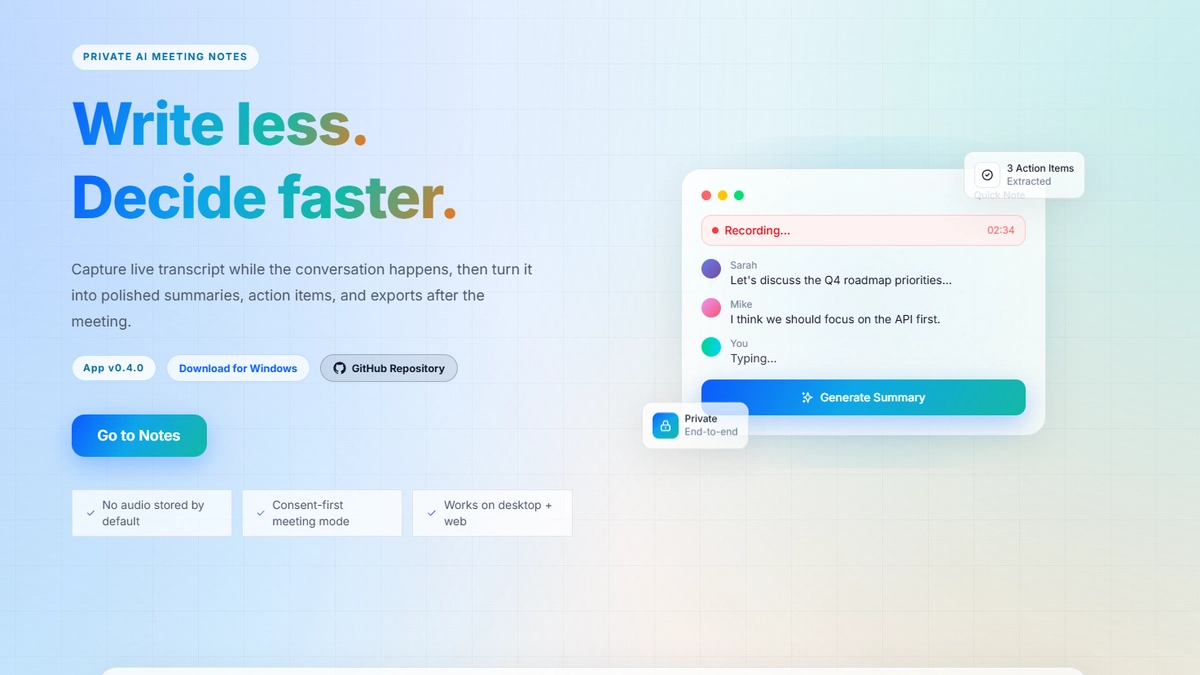
What Golden Minutes does today (no “real-time” claims)
Current focus:
- Web + desktop experience for taking meeting notes alongside calls
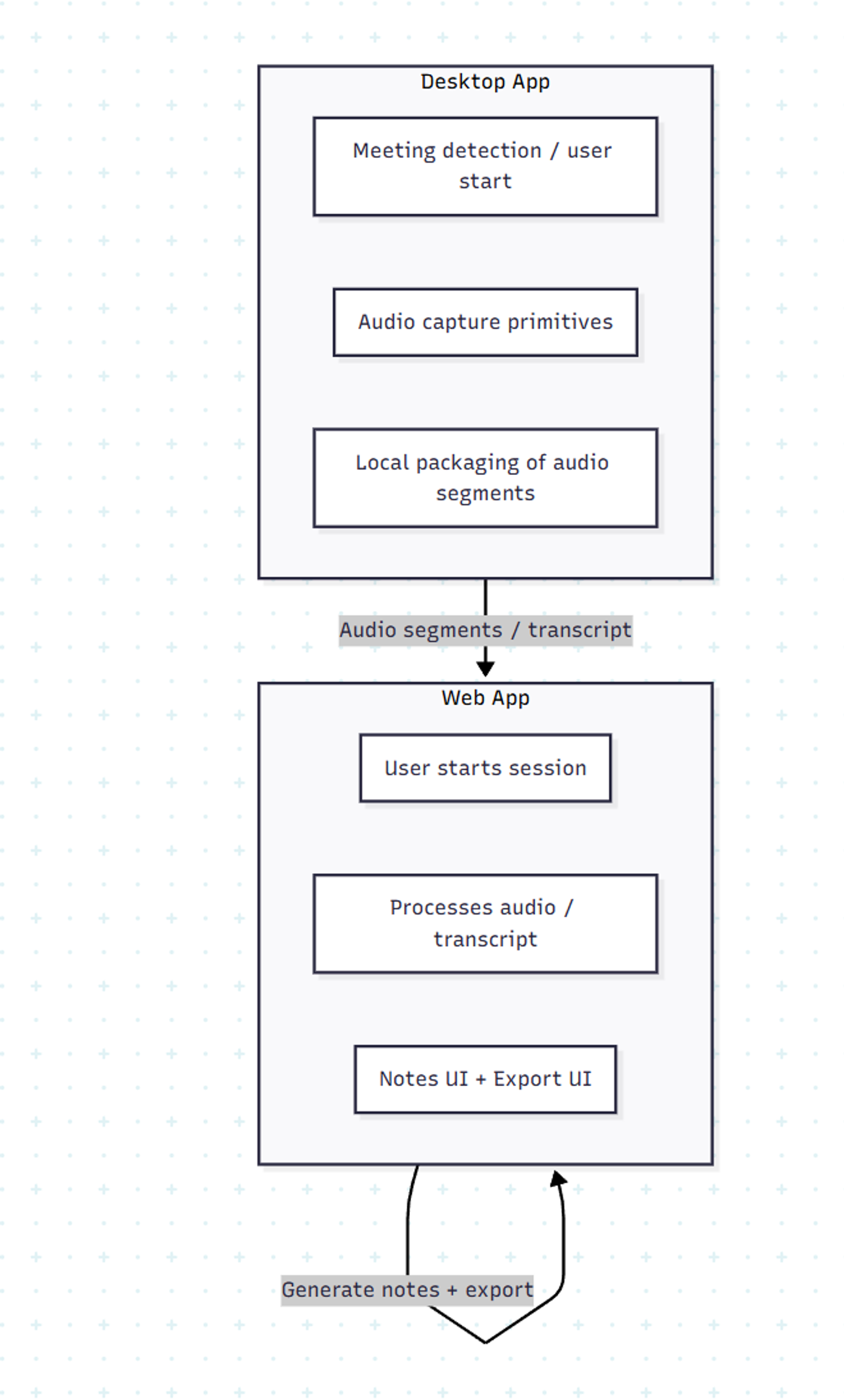
- Audio capture primitives (microphone + system audio foundations on desktop)
- Speech-to-text pipeline options (including local/client-side where feasible)
- Structured note generation after capture
- Export workflows (e.g., Notion)
I’m intentionally optimizing for correctness and trust before adding any “live” layer.
System architecture (high-level)

Signal: clear separation of capture, preprocessing, ASR, normalization, generation, and export.
Capture layer: where most products fail
The hardest part is not “summarization”. It’s capturing audio reliably across environments:
- Browser: permissions + device selection + meeting platform constraints
- Desktop: system audio capture differs by OS; device routing matters
- “Other participants don’t have the app”: means you must capture audio from your machine in a compliant way
So the design treats capture as a first-class subsystem with explicit constraints and fallbacks.
Data flow & responsibilities (web vs desktop)
Notes generation: structure beats fluff
The goal isn’t “a summary”. The goal is a useful meeting record.
Default structure I optimize for:
- Agenda / Context
- Key decisions
- Action items (owner + due date if available)
- Risks / blockers
- Next steps
Notion export: treat integrations as product features
Export isn’t a “nice-to-have”. It’s where trust is earned:
- stable formatting (headings, bullets, checklists)
- idempotent export (avoid duplicates)
- clear user control (“Export this version”)
I designed the export flow to be explicit and predictable, not magical.
What I learned building it
- Capture is the product. Everything else depends on it.
- Artifacts & versions reduce chaos. Especially when users regenerate notes.
- UX matters as much as AI. People judge reliability by UI behavior.
- Integrations are where value sticks. Notion export is a retention lever.
Roadmap (kept honest)
I’m improving:
- stability and cross-platform capture experience
- better template controls for regenerating notes
- chat-with-notes style retrieval (once the note artifacts are stable)
I’ll write a separate post when anything “live” ships.
Share this post
Related Posts

4 Product-Development Architectures for AI Coding Tools (Claude Code, Codex, Cursor)
AI coding tools remove friction from implementation—but they don’t remove the need for process. Here are 4 practical delivery architectures teams use to keep speed and quality.

Frontend <-> Backend Communication: Choose Your Weapon Wisely
Not every app needs WebSockets, and not every update deserves polling. This post compares polling, long polling, WebSockets, SSE, and webhooks to help you choose the right real-time pattern based on latency, scale, cost, and UX.